Read the screen
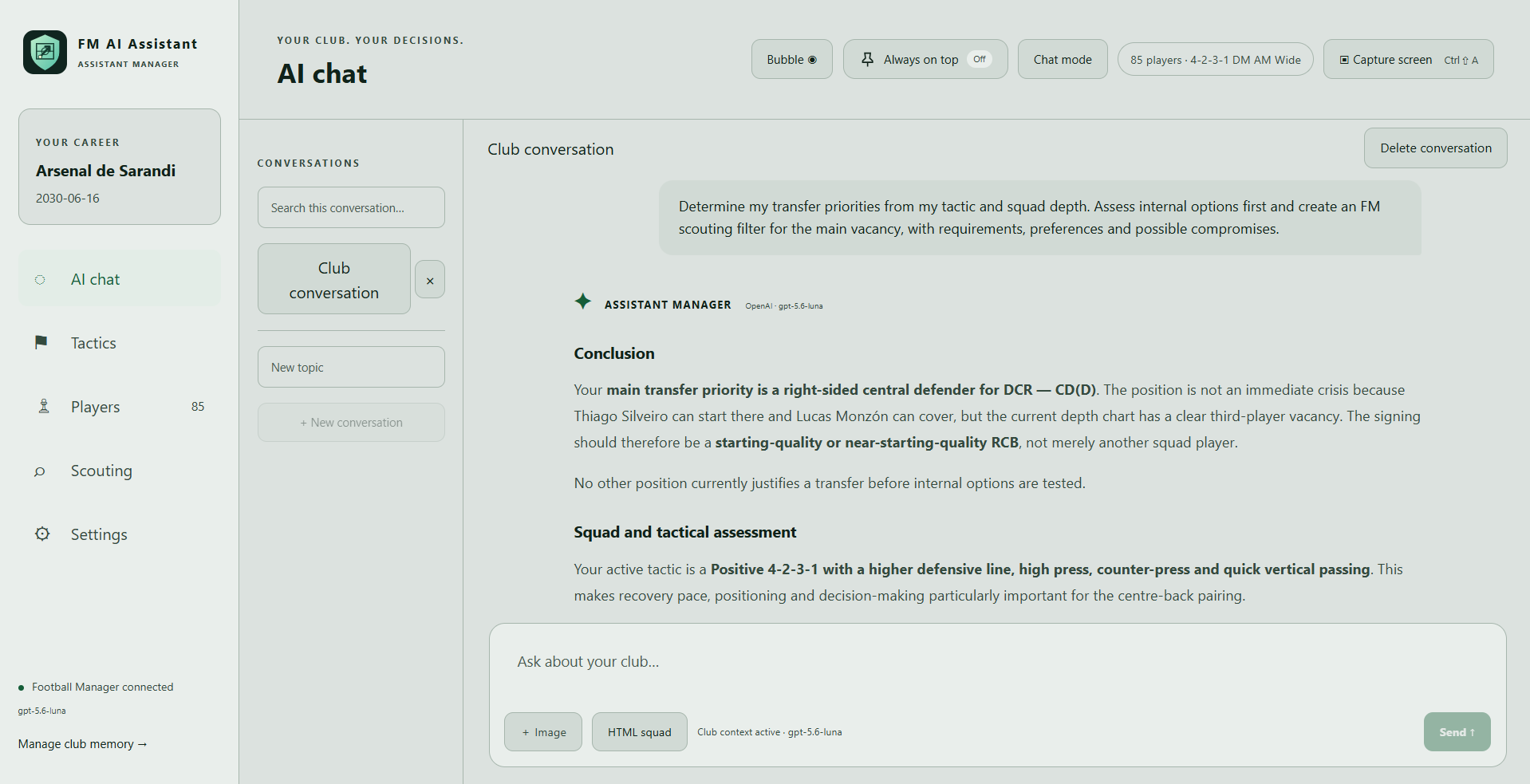
Capture the active FM window or add up to five screenshots. The assistant works from what is visibly there, identifies the situation and keeps claims grounded.
SCREENSHOTS · CONTEXTFM AI Assistant reads the Football Manager screenshots and exports you share, then turns the visible evidence into practical advice for your squad, tactics, scouting and long-term plan.
01 / FEATURES
Move naturally between a match-day question, a recruitment decision and a season-long development plan—without losing your club context.
Capture the active FM window or add up to five screenshots. The assistant works from what is visibly there, identifies the situation and keeps claims grounded.
SCREENSHOTS · CONTEXTImport first-team, reserve and youth HTML exports for an evidence-led squad review: hierarchy, contracts, development, depth and transfer priorities.
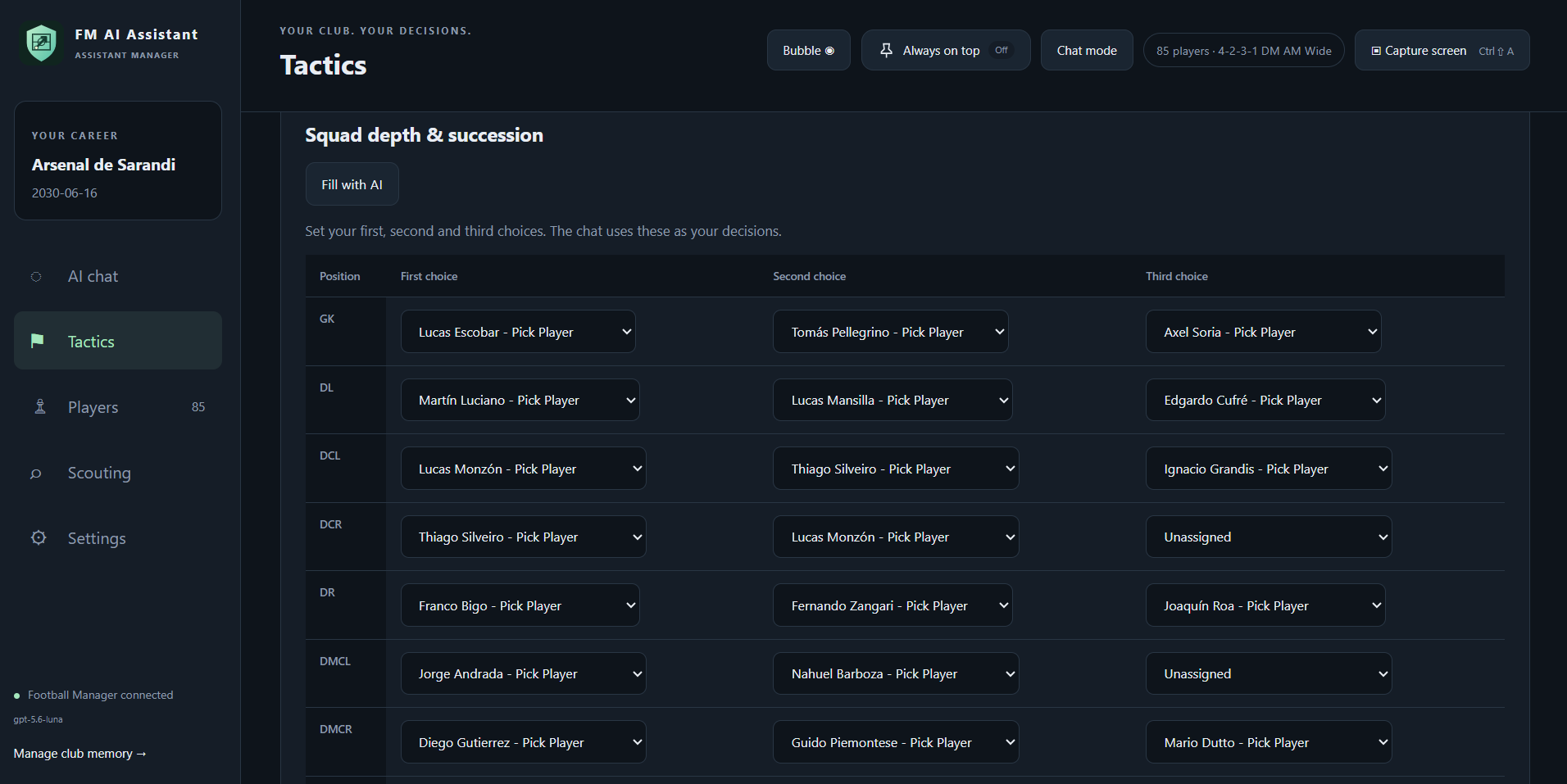
EXPORTS · SQUAD PLANNINGKeep multiple tactic profiles, roles and a 1/2/3 depth matrix. Read a tactic screenshot into a transparent profile and see internal role coverage.
ROLES · DEPTH · FITCreate scouting profiles, compare shortlist candidates from their visible attributes and get support for negotiations before you make the call.
SHORTLISTS · RECRUITMENTClub policies, manager decisions, saved reports and player corrections create useful local context for the next conversation—not a generic answer every time.
LOCAL MEMORY · HISTORYThe assistant advises; it never controls Football Manager. Review proposals, keep your decisions explicit, and use your own provider account.
YOU DECIDE · ALWAYS03 / HOW IT LEARNS
FM AI Assistant does not claim to know hidden attributes, potential or game state. It learns from the screenshots, HTML exports and decisions you intentionally give it—then makes the next question more informed.
Use the capture button or Ctrl + Shift + A while Football Manager is open. You can also add image files directly to a chat.
The assistant identifies the screen and the situation in it. It bases advice on visible details and makes uncertainty clear when something is missing.
Saved reports, tactic profiles, squad imports and your corrections build local club context for later conversations in the same save.
A practical example: capture a player profile, ask how that player fits your high press, then save the conclusion or correction so future squad and recruitment advice starts from your own football.
04 / SETUP GUIDE
FM AI Assistant is a Windows desktop app. The first-start wizard gets the basics in place; every setting can be changed later.
Configure your provider ↓Launch FM AI Assistant.exe. Choose English or Dutch, then enter your club name, in-game date and FM version.
In Settings, choose either the provider chain (Gemini → Groq → OpenRouter) or OpenAI. Paste the keys you want to use and save.
Import first-team, reserve or youth HTML exports from Players. Add a tactic profile and a 1/2/3 depth matrix if you want tactical advice to reflect your plan.
Capture a relevant FM screen with Ctrl + Shift + A, ask a focused question, then save the reports and corrections that should inform your next decision.
05 / API KEY GUIDE
API usage may have costs or rate limits. Keys are stored by the app in Windows Credential Manager and are not included in app backups.
Use OpenAI as the paid provider, with an optional fallback to the free provider chain.
The first provider in the free fallback chain.
A fast alternative used after Gemini in the provider chain.
An optional third provider in the fallback chain.
Never share an API key in a screenshot, chat message or public repository. If a key is exposed, revoke it at the provider and create a new one.
CONTACT
The GitHub link will live here soon. Until then, this is the place for release notes, feedback, the roadmap and practical setup help.
GITHUB — COMING SOON